
What is the official Hearth and Hamlet Discord?
https://discord.gg/s323mWSQZa

Hearth and Hamlet Discord official invite: join safely, skim announcements, ask one focused kingdom question — skip fake invites and DM scam codes today.
Official trailer — then join the verified Discord invite.
~4 min read
This page is the verified Hearth and Hamlet Discord entry: official invite, safe join steps, and how to ask kingdom questions without spam. Hearth and Hamlet community traffic clusters around patch notes, balance talk, and bottleneck help — not random invite aggregators. Dev Phorust Studios · pubs Runic Forge · Gamersky Games. Verified August 22, 2026.
| Fact | Detail |
|---|---|
| Official invite | https://discord.gg/s323mWSQZa |
| Game | Hearth and Hamlet |
| Platform | Steam · Windows / SteamOS+Linux |
| Steam | https://store.steampowered.com/app/4315040/Hearth_and_Hamlet/ |
| Channels listed | 12 rooms (Browse Channels pass) |
| Need Discord to play? | No — optional for patches and help |
| Best first read | Beginner guide on this site |
Joining the Hearth and Hamlet Discord takes under a minute if you use the verified invite. Do not hunt for “backup servers” — there is one official community path linked from Steam announcements.
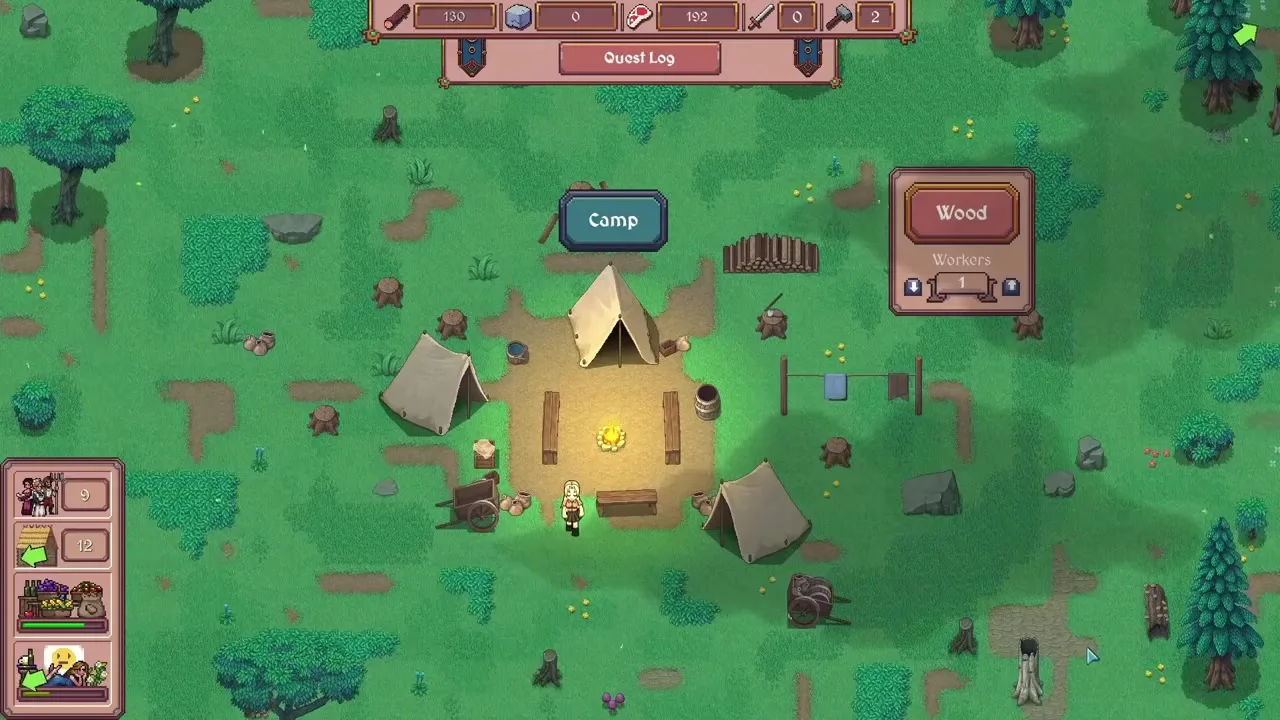

On this site the Discord page hero keeps a primary Join Discord action pointing at the official URL. If a random site or comment shows a different code, ignore it until Steam or the developer posts a change.
The game is single-player on Steam. Discord is for patch clarifications, bug reports, and peer bottleneck help — not a login gate.
Once inside, start in #general for questions and use #bug-reports / #feedback for formal posts.
These 12 rooms match a Browse Channels pass on the official Hearth and Hamlet Discord (August 22, 2026). Follow categories in-app if any are hidden from your sidebar.
Announcements
Text Channels
Off-Topic
Feedback
Voice Channels
Patch talk → #patch-notes-and-updates. Kingdom bottlenecks → #general (with a screenshot). Bugs → #bug-reports forum. Suggestions → #feedback forum. Clips / screenshots have their own rooms.
Start in #welcome-and-rules. Searching pins for “Gold,” “raid,” or “1.0” often beats asking the same question twice.
When you are ready to post, bring a real bottleneck — not a vibe check.
Good Discord questions look like save-file problems: one resource, one screen, one goal. Bad questions are “is the game good?” with no context.
| Good ask | Why it works | Weak ask |
|---|---|---|
| Food negative after housing 3 — what do I pull workers from? | Named bottleneck + action | Help my kingdom |
| Research node costs TBA Gold — early Gold path? | Specific system | How do I win |
| Raid wiped me at Guardhouse quest — soldier count? | Quest-tied combat | Combat broken |
| Warehouse full, Farm idle — storage or productivity first? | Decision fork | What should I build |
A crop of the resource bar, research panel, or raid result helps more than three paragraphs. Blur personal info; keep numbers readable.
Before posting, skim beginner guide, gold guide, and the wiki hub. Discord is best for live edge cases; structured pages are best for stable systems.
Knowing when Discord beats Steam forums saves everyone time.
Matched by build plan, shared topics, and guide progression — not random related links.
Both spaces can be official-adjacent. Pick the tool that matches the latency and format you need.
| Need | Prefer | Why |
|---|---|---|
| Patch drop chatter | Discord | Fast threads, role pings |
| Long bug write-up with repro | Steam or Discord feedback | Searchable text + screenshots |
| Friend co-op (N/A) | Neither | Game is single-player |
| Stable how-to for Food/Gold | This site guides | Versioned, scannable tables |
| Invite verification | Steam announcement + this page | Matches DISCORD_URL |
Scam patterns around new Steam hits are predictable. The Hearth and Hamlet Discord invite on this page is the allowlist — everything else is guilty until proven.
Mute channels you do not need, keep Announcements unmuted, and keep playing. For first-hour mechanics, return to the beginner guide or tips.
https://discord.gg/s323mWSQZa
No. It is the best place for patch talk and kingdom help, not a launcher requirement.
Finish #welcome-and-rules, unmute #announcements-and-news and #patch-notes-and-updates, then use #general for questions. Bugs go in #bug-reports; suggestions in #feedback.
Start with this site’s beginner guide and wiki hub, then ask one focused question in #general.
Matched by build plan, shared topics, and guide progression — not random related links.